Comply with time-tracking rules without the paperwork
Clock-in/out, shifts and calendars compliant with Spanish law — with an immutable record and the employee portal.
- Legal clock-in/out
- Shifts and calendars
- Immutable record
- Employee portal
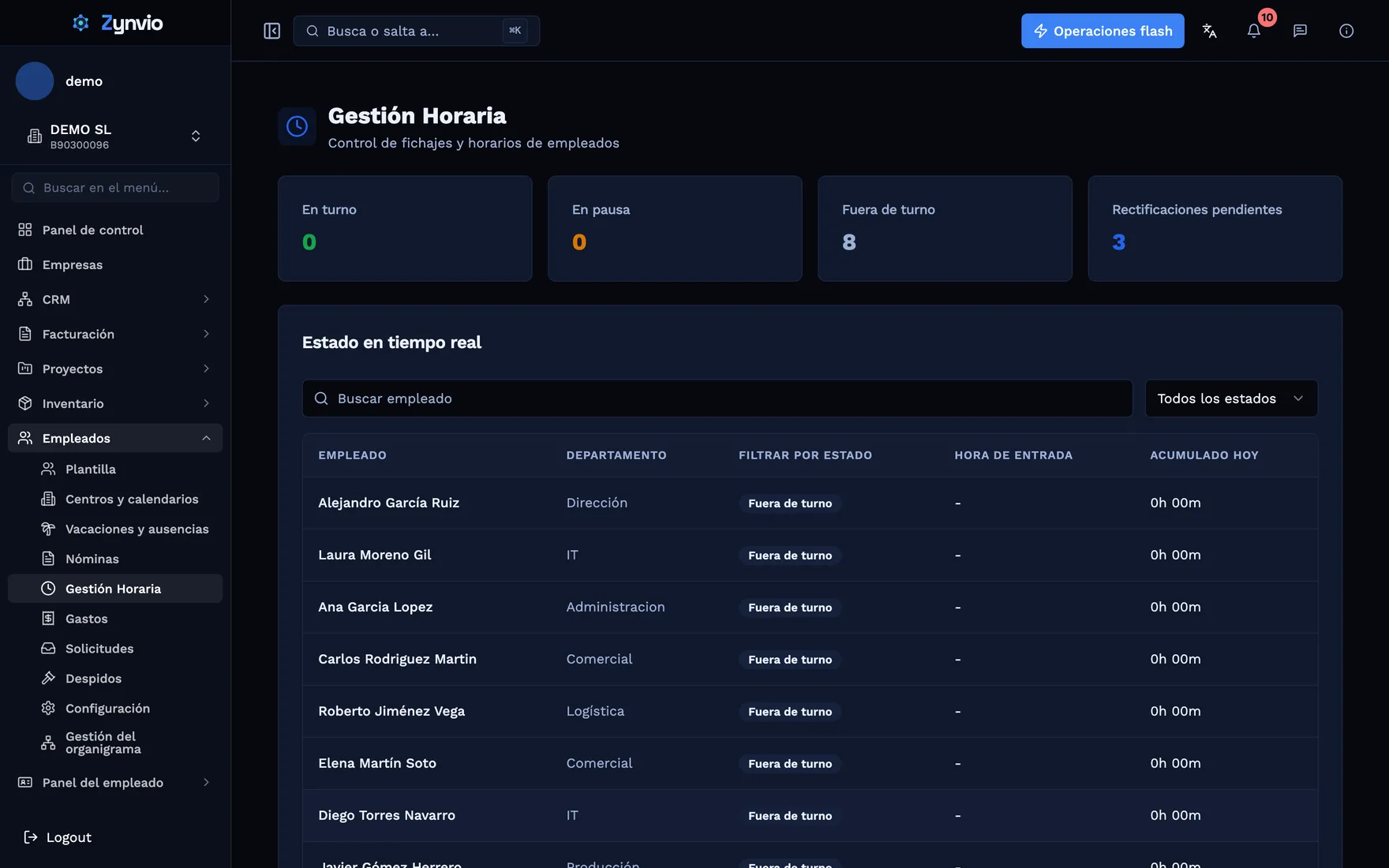
A working-hours record compliant with the law, without the paperwork
The usual problems
A mandatory record
The law requires recording every employee's working hours and keeping them; doing it on paper or in Excel is a risk.
Paper clock-ins
Sign-in sheets and emails that no one reconciles at month-end.
Uncontrolled overtime
Not knowing how many extra hours are worked, or when.
Ever-changing shifts
Juggling shifts, public holidays and remote work by hand.
Untraceable corrections
Editing a clock-in/out entry without recording who did it and when.
Inspections
Having to reconstruct the working-hours record if you are asked for it.
How Zynvio solves it
Clock-in/out
Clock in/out with IP, geolocation and work mode.
Shifts
Flexible, rotating, split and by work centre.
Holiday calendars
Customisable per company and employee.
Corrections
Controlled corrections of clock-in/out entries.
Immutable record
An append-only log compliant with the law (GDPR).
Summaries and reports
Daily and by period, exportable.
Employee portal
View schedule and history.
Schedule assignment
Per employee and team.
Expected and overtime hours
Configurable threshold (8 h/day, 40 h/week) with overtime and shortfall.
Automatic close
The shift closes itself at the configured time.
Connect your tools via API
Integrate time tracking with other systems through the token API: export the records or connect them to your payroll or your ERP.
- A token API to query clock-in/out entries and summaries.
- Export working-hours reports for inspection or audit.
- Hours worked feed the overtime calculation in payroll.
- Connect the record to your ERP or external HR tools.
Automate your workflows
The system does the repetitive work for you.
- Automatic shift close at the configured time.
- Automatic calculation of expected, overtime and shortfall hours.
- Alerts when a clock-out is missing or a correction is pending.
- Daily and monthly summaries generated automatically.
Who it's for
Retail and hospitality
Rotating shifts and several work centres under control.
What you gain
You meet the legal obligation to record working hours.
Clock in/out from the browser, with no extra hardware.
Overtime and shortfall hours calculated automatically.
An immutable, auditable record (retention compliant with GDPR).
Employees clock in/out and check their schedule themselves.
Frequently asked questions
Does it comply with Spanish regulations on working-hours records?
Yes. Zynvio records each employee's clock-in, clock-out and breaks, keeps an immutable and auditable record, and retains the data for the required period (4 years by default), compliant with GDPR.
What schedule types does it support?
Fixed and flexible schedules (with a minimum and maximum), rotating shifts, remote-work days and holiday calendars per company or employee.
Can clock-in/out entries be corrected?
Yes. The employee requests a correction and the administrator approves it; every change is recorded in the audit log.
How is overtime calculated?
The system compares hours worked against expected hours (a configurable threshold, 8 h/day and 40 h/week by default) and calculates overtime and shortfall hours.
Does it connect with payroll?
Yes. Recorded hours can feed the overtime calculation in the HR and payroll module.
Explore more modules
Turn your operation into a connected system
Request a demo and see Zynvio in action.